
Introduction
If you have been building AI-powered applications in the last year, you have probably hit the same wall every developer hits — getting your AI model to actually talk to your data, your tools, and your systems without writing a mountain of custom glue code.
That is exactly the problem that Model Context Protocol was built to solve.
Model Context Protocol, or MCP as it is widely known, is rapidly becoming one of the most important standards in modern AI development. Whether you are building a simple chatbot or a complex multi-agent system, understanding Model Context Protocol is no longer optional. It is quickly becoming a foundational skill for any developer working in the AI space.
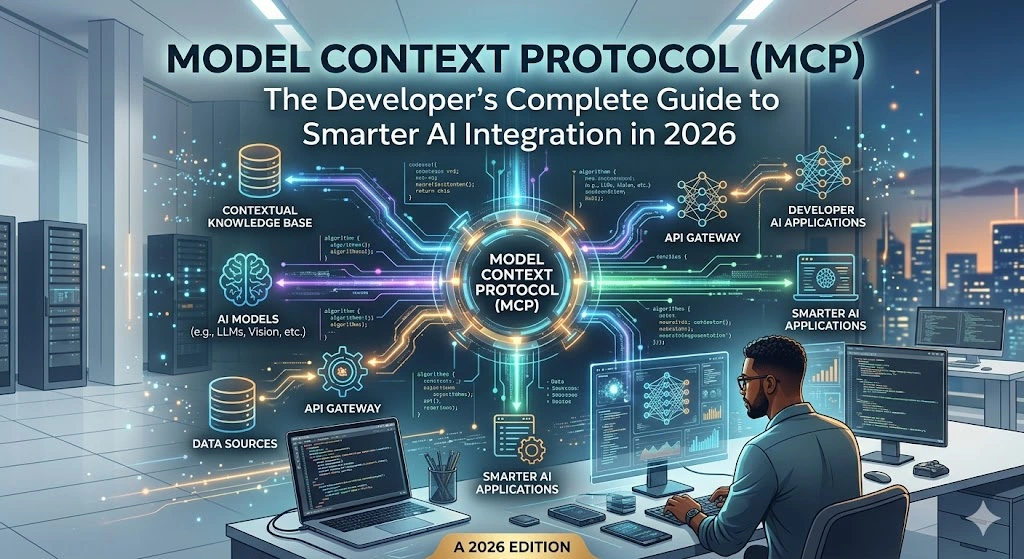
In this guide, we will break down everything — what Model Context Protocol is, how it works under the hood, why it matters, and how you can start using it today.
Table of Contents
What Is Model Context Protocol?
Model Context Protocol is an open standard that defines how AI models communicate with external tools, data sources, and systems in a structured, consistent way. Think of it as a universal adapter — similar to what USB-C is for hardware devices — but for AI integrations.
Before Model Context Protocol existed, every AI integration was custom-built. Want your AI assistant to read from a database? Write custom code. Want it to call a REST API? Write more custom code. Want it to access your file system or a third-party service? Even more custom code. This approach was unsustainable, hard to maintain, and nearly impossible to scale.
Model Context Protocol changes this entirely. It provides a standardized interface — a shared language — between AI models (called “hosts” or “clients”) and the tools or data sources they connect to (called “servers”). Once a tool is built to speak Model Context Protocol, any compliant AI model can use it without additional integration work.
The protocol was introduced by Anthropic and has since been adopted across a wide range of platforms, frameworks, and developer communities. You can explore the official specification at https://modelcontextprotocol.io and browse open-source implementations on GitHub.
Also Read : ChatGPT vs ChatGPT Plus in 2026: The Brutally Honest Truth About Whether $20/Month Is Worth It
The Core Architecture of Model Context Protocol
To truly understand Model Context Protocol, you need to understand its three-layer architecture:
1. Hosts
A host is the AI application — the model or agent that wants to use external tools. Claude, for example, can act as a Model Context Protocol host. The host is responsible for initiating connections and sending requests.
2. Clients
Clients are the connectors embedded inside the host application. They manage the communication layer and maintain an ongoing session with Model Context Protocol servers.
3. Servers
Servers are lightweight processes that expose specific capabilities — like reading from a database, searching the web, or executing code — to the AI model through the Model Context Protocol interface. Any developer can build an MCP server and make it available to compliant AI hosts.
The communication between these components follows a JSON-RPC 2.0 message structure, which is a well-established and developer-friendly standard. You can read the JSON-RPC specification at https://www.jsonrpc.org.
Why Model Context Protocol Exists — The Problem It Solves
Here is the reality of AI development before Model Context Protocol: integrations were brittle, expensive, and locked to specific models. If you built an integration for GPT-4, it did not work out of the box with Claude or Gemini. If you switched models, you had to rebuild everything.
Model Context Protocol introduces what engineers call “interoperability.” It means you build your tool once and it works across any AI system that supports the Model Context Protocol standard.
This has three massive implications:
Reduced development time: Instead of building custom connectors for every model-tool combination, developers build a single Model Context Protocol server and it works everywhere.
Portability: Your AI integrations are no longer locked to a specific vendor. If you decide to switch from one language model to another, your Model Context Protocol servers still work.
Community ecosystem: Because Model Context Protocol is an open standard, a growing ecosystem of pre-built servers is available. Need your AI to access Slack, Google Drive, GitHub, or a SQL database? There is likely a Model Context Protocol server already built for it.
How Model Context Protocol Works: Step-by-Step Flow
Let us walk through a simple example. Say you are building an AI assistant that needs to query a PostgreSQL database and respond to user questions about sales data.
Step 1 — Build or install a Model Context Protocol server You create (or download) an MCP server for PostgreSQL. This server understands how to connect to your database and exposes “tools” — for example, a run_query tool that accepts a SQL string and returns results.
Step 2 — Connect the host to the server Your AI host application (say, a Claude-powered app) is configured to connect to your Model Context Protocol server. This is usually a simple configuration file or API call.
Step 3 — The model discovers available tools When a session starts, the AI model sends a tools/list request to the Model Context Protocol server. The server responds with a list of available tools and their schemas — essentially a description of what the tool does and what inputs it accepts.
Step 4 — The model invokes a tool When the user asks “What were our top 5 products by revenue last month?”, the AI model recognizes it needs database access. It sends a tools/call request to the Model Context Protocol server with the appropriate SQL query.
Step 5 — The server executes and returns results The Model Context Protocol server runs the query, formats the results, and returns them to the model. The model then uses this data to compose a natural language response for the user.
This entire flow is standardized by Model Context Protocol, meaning the same process works regardless of which AI model you are using or which data source you are connecting to.
Key Capabilities Exposed Through Model Context Protocol
The Model Context Protocol standard defines three main primitives — the types of things an MCP server can expose:
Tools
Functions the AI model can call to take actions or retrieve data. Examples include sending an email, running a query, calling an API, or writing a file.
Resources
Structured data objects the model can read, such as files, database records, or API responses. Resources in Model Context Protocol are URI-addressable, making them easy to reference and retrieve.
Prompts
Pre-written prompt templates that the Model Context Protocol server can expose to the host, helping standardize how the model approaches specific tasks.
Together, these three primitives give Model Context Protocol enormous flexibility — it can support nearly any type of AI integration you can imagine.
Model Context Protocol vs. Traditional API Integration — Comparison Table
| Feature | Traditional API Integration | Model Context Protocol |
|---|---|---|
| Setup per model | Required for each AI model | Build once, works with all MCP-compliant models |
| Standardization | No universal standard | Open standard (JSON-RPC 2.0 based) |
| Tool discovery | Manual, hardcoded | Dynamic — models discover tools at runtime |
| Vendor lock-in | High — tied to specific model SDKs | Low — portable across AI platforms |
| Community ecosystem | Fragmented, custom-built | Growing open-source ecosystem |
| Maintenance overhead | High — custom code per integration | Low — one server, many consumers |
| Security model | Varies per implementation | Defined by the MCP specification |
| Multi-tool support | Complex orchestration needed | Native multi-tool support built in |
| Schema validation | Often manual | Built into the protocol |
| Adoption trend | Legacy approach | Rapidly growing industry standard |
Real-World Use Cases for Model Context Protocol
Model Context Protocol is not just theoretical. Developers are already using it across a wide range of production scenarios:
Developer tooling: IDEs like Cursor and Zed have integrated Model Context Protocol so their AI coding assistants can read codebases, run terminal commands, and interact with version control systems.
Enterprise data access: Companies are building Model Context Protocol servers that connect AI models to internal knowledge bases, CRMs, and ERPs — giving employees AI assistants that actually understand company data.
Customer support automation: Support platforms use Model Context Protocol to give AI agents access to ticketing systems, order databases, and product documentation simultaneously.
Research and analysis: Analysts build Model Context Protocol pipelines that let AI models query multiple data sources, run Python scripts, and compile reports in a single workflow.
Check Out : How to Use AI to Write Better: The Only Practical Guide You Need (2026)
DevOps and automation: Teams use Model Context Protocol servers connected to cloud platforms like AWS and GCP, enabling AI-driven infrastructure management.
How to Build Your First Model Context Protocol Server
Getting started with Model Context Protocol is more accessible than you might think. Anthropic provides official SDKs in Python and TypeScript. The Python SDK is available through PyPI and the TypeScript SDK through npm.
A minimal Model Context Protocol server in Python looks something like this — you define your tools as decorated functions, describe their input schemas, and the SDK handles all the communication protocol automatically. Within a few dozen lines of code, you have a fully compliant Model Context Protocol server that any compatible AI host can connect to.
The official documentation at https://docs.anthropic.com covers the full setup process, authentication patterns, and best practices for building production-grade Model Context Protocol servers.
Security Considerations in Model Context Protocol
Because Model Context Protocol gives AI models the ability to take real actions — running queries, modifying files, calling APIs — security is a serious concern that every developer must address.
The Model Context Protocol specification includes a clear security model:
Principle of least privilege: MCP servers should only expose the capabilities they absolutely need to. A server for reading documents should not have write access.
User consent: The Model Context Protocol design expects that tool invocations involving sensitive actions should be surfaced to users for approval, not executed silently.
Transport security: Model Context Protocol supports both local (stdio) and remote (HTTP with SSE) transport. For remote deployments, TLS encryption is strongly recommended.
Input validation: Since the AI model constructs tool call arguments, MCP servers must validate all inputs rigorously to prevent injection-style attacks.
Following these practices keeps your Model Context Protocol implementations safe in production.
The Model Context Protocol Ecosystem in 2026
The ecosystem around Model Context Protocol has grown substantially. As of 2026, hundreds of community-built and enterprise Model Context Protocol servers are available covering integrations with tools like GitHub, Slack, Notion, Postgres, Filesystem access, Google Drive, web search, and many more.
Major AI platforms beyond Anthropic have started supporting Model Context Protocol, which signals that it is on track to become a true industry standard rather than a vendor-specific initiative. This broad adoption is what makes learning Model Context Protocol such a high-value investment for developers right now.
Developer communities on platforms like GitHub Discussions are actively sharing new servers, reporting bugs, and improving the specification collaboratively.
Why Every Developer Needs to Know Model Context Protocol
Here is the straightforward case: AI is no longer a feature. It is becoming the core of how software is built and used. And Model Context Protocol is becoming the standard plumbing that makes AI actually useful in real software systems.
Developers who understand Model Context Protocol today are positioned to:
Build AI integrations significantly faster than those writing custom connectors from scratch. Create tools and servers that can be shared across the community and adopted widely. Work across multiple AI platforms without relearning integration patterns. Stay ahead in a job market that is rapidly prioritizing AI-native development skills.
The learning curve for Model Context Protocol is gentle — if you know how to build a REST API or a simple Python script, you have the foundation to build Model Context Protocol servers. The upside of that investment is enormous.
Frequently Asked Questions About Model Context Protocol
1. What does Model Context Protocol stand for? MCP stands for Model Context Protocol. It is an open standard that defines how AI models communicate with external tools and data sources in a consistent, interoperable way.
2. Who created Model Context Protocol? Model Context Protocol was introduced by Anthropic, the AI safety company behind Claude. It was designed as an open standard and is now maintained as a community-driven specification.
3. Is Model Context Protocol free to use? Yes. Model Context Protocol is an open standard. The official SDKs are open source and freely available. There is no licensing cost to build or use MCP servers.
4. Which AI models support Model Context Protocol? Claude (by Anthropic) has native Model Context Protocol support. A growing number of other AI platforms and IDE integrations (like Cursor, Zed, and others) have also adopted Model Context Protocol as of 2026.
5. Do I need to know a specific programming language to use Model Context Protocol? Official SDKs exist for Python and TypeScript, making Model Context Protocol accessible to a large portion of the developer community. Community SDKs are emerging for other languages as well.
6. How is Model Context Protocol different from function calling? Function calling (as offered by OpenAI and Anthropic APIs) is a model-level feature for a single integration. Model Context Protocol is a broader transport and discovery standard — it standardizes how tools are discovered, described, and invoked across different systems, not just within a single API call.
7. Can I use Model Context Protocol in production? Yes. Many teams are running Model Context Protocol servers in production environments. The specification is stable enough for production use, though like any evolving standard, staying current with updates is recommended.
8. Is Model Context Protocol only for large language models? While Model Context Protocol is currently most commonly associated with LLMs, its architecture is flexible enough to work with any AI agent or orchestration framework that needs to interact with external tools.
9. Where can I find pre-built Model Context Protocol servers? The official repository at https://github.com/modelcontextprotocol/servers is the best starting point. It contains a curated list of community and officially maintained Model Context Protocol servers across dozens of categories.
10. Will Model Context Protocol replace existing APIs? No. Model Context Protocol does not replace APIs — it is a layer on top of them. MCP servers often call existing APIs internally. Model Context Protocol standardizes how AI models interact with those APIs, not how the APIs themselves are built.
Conclusion
Model Context Protocol is one of those rare technical standards that, once you understand it, you cannot imagine building AI applications without. It solves a real, painful problem — fragmented, custom, non-portable AI integrations — with an elegant, open, and developer-friendly solution.
Whether you are just getting started with AI development or you are deep in the trenches building enterprise AI systems, investing time in understanding Model Context Protocol now will pay dividends for years. The ecosystem is growing, the adoption is accelerating, and the developers who get fluent with Model Context Protocol today will have a meaningful edge in the AI-native software landscape of tomorrow.
Start exploring the official Model Context Protocol documentation at https://modelcontextprotocol.io, pick up the SDK for your preferred language, and build your first MCP server this week. The best time to learn Model Context Protocol was six months ago. The second best time is right now.
Read : Meta-Black-Box Optimization: The Only usefull Guide You’ll Ever Need (2026 Edition)
1 thought on “Model Context Protocol (MCP): The Developer’s Complete Guide to Smarter AI Integration in 2026”