
Why Turning Images Into 3D Characters Is Exploding in 2026
Something fundamental shifted in 2026. Creating a 3D character used to mean hiring a specialist, spending weeks in software like Maya or ZBrush, and burning through a budget that most independent creators simply did not have. Today, you can upload a single image and walk away with a fully textured, animation-ready 3D character in minutes. That shift is not just a technical novelty — it is actively reshaping entire industries.
Gaming studios are using AI tools to turn images into 3D characters to dramatically accelerate their asset pipelines. What previously took a character artist two weeks can now be roughed out in an afternoon, leaving the human artist free to focus on polish, storytelling, and the details that actually define a game’s visual identity. Indie developers who previously could not afford to build large character rosters are now shipping titles with casts that would have been impossible to produce three years ago.
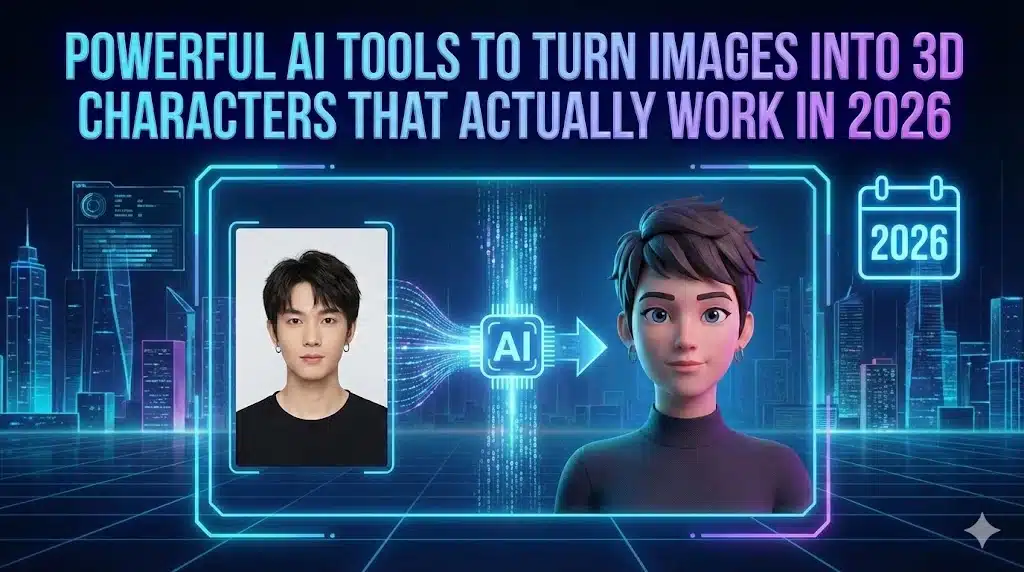
The metaverse angle is equally significant. Platforms like Roblox, VRChat, Fortnite, and a growing number of enterprise virtual worlds need personalized avatars at massive scale. Users want to look like themselves — or like a stylized, idealized version of themselves. AI tools to turn images into 3D characters are the only practical way to deliver that at the volume these platforms require.
VTubers and virtual creators represent another booming use case. The global VTuber market has expanded well beyond Japan, and creators across every continent are now building virtual personas. The barrier used to be cost — a custom 3D VTuber model from a professional rigger could run several thousand dollars. AI-powered pipelines have brought that cost down dramatically, and the quality ceiling keeps rising.
Then there are films and advertising. Productions that previously built 3D digital doubles through expensive photogrammetry sessions are now running those workflows through AI-assisted pipelines that cut time and cost significantly. Brand mascots, animated ad characters, and digital spokespersons are being generated in days rather than months.
XR — extended reality, covering both AR and VR — adds another layer. As spatial computing devices become more mainstream, the demand for 3D content has outpaced the supply of people who can create it traditionally. AI tools to turn images into 3D characters are filling that gap in a way that no other technology currently can.
In short, this is not a trend. It is an infrastructure shift in how visual content gets made.
Table of Contents
2. What Does “Image to 3D Character” Really Mean?
If you are new to this space, the terminology can be confusing. “Image to 3D character” sounds straightforward, but there are several distinct stages happening under the hood, and understanding them helps you evaluate tools more intelligently.
2D Image → 3D Mesh
The starting point is always a 2D image — a photograph, a piece of concept art, an illustration, or even an AI-generated picture. The AI analyzes that image and reconstructs it as a 3D mesh: a surface made of connected polygons (typically triangles or quads) that define the shape of the character in three-dimensional space. The quality of this mesh — how clean, dense, and accurate it is — determines everything that comes after.
Texture Mapping
Once the mesh exists, it needs to look like something. Texture mapping is the process of wrapping 2D image data (color, roughness, metalness, normal details) onto the 3D surface. Good AI tools to turn images into 3D characters handle this automatically, generating UV maps and baking textures that match the original reference image as closely as possible. The difference between a great-looking 3D character and a flat, plasticky one often comes down to texture quality.
Rigging & Animation
A static 3D mesh is not a character — it is a statue. Rigging is the process of adding a skeleton (a hierarchy of bones) inside the mesh so it can be posed and animated. Auto-rigging, where AI places bones automatically based on the character’s shape, has become one of the most valuable features in modern AI tools to turn images into 3D characters. Without it, you need a skilled technical artist to rig every model by hand.
Export Formats
The final output needs to move into whatever software or engine you are using. The most common export formats are FBX (widely used for game engines and animation software), GLB/GLTF (optimized for real-time use and web), OBJ (a universal but static format with no animation support), USD/USDZ (Apple’s format, increasingly important for AR), and STL (used for 3D printing). The range of formats a tool supports is a practical measure of how versatile it is.
Also Read : Chinese AI Models Showdown 2026: Kimi K2.5 vs Baidu Ernie 5.0 vs GLM 4.7 Flash
3. How AI Image-to-3D Tools Work (Simple Explanation)
You do not need a computer science degree to understand this, and having a working sense of it helps you use these tools better. Here is a plain-language breakdown.
Computer Vision
Every AI image-to-3D pipeline begins with computer vision — the AI’s ability to “see” and interpret a 2D image. This means identifying where the face is, where the body ends, what parts are in shadow, and how surfaces relate to each other spatially. The quality of this perception stage heavily influences the rest of the process.
Neural Radiance Fields (NeRFs)
NeRF technology, which became well known around 2021-2022, works by training a neural network to understand how light behaves across a 3D scene. When applied to character generation, NeRF-based approaches can reconstruct volumetric 3D representations from images by learning where light would fall if the subject were viewed from any angle. The result is often highly detailed but can be computationally expensive.
Diffusion + 3D Reconstruction
More recently, diffusion models — the same technology behind image generators like Stable Diffusion and Midjourney — have been adapted for 3D generation. The AI is trained on large datasets of paired 2D and 3D assets. When you feed it an image, it essentially predicts what the unseen sides of the character would look like and reconstructs the full 3D geometry from that prediction. This approach tends to be faster than NeRF-based methods and produces clean meshes that are easier to work with downstream.
Auto-Rigging with AI
Auto-rigging is where AI really earns its keep for character work. Traditionally, placing bones correctly inside a character mesh requires both artistic judgment and technical knowledge. Modern auto-rigging systems, trained on thousands of correctly rigged characters, can now place a humanoid skeleton — with joints at the right locations, with correct bone hierarchies, and with skin weights that deform realistically — in a matter of seconds. Some AI tools to turn images into 3D characters have pushed this further by also generating facial blend shapes automatically.
4. What Makes an AI 3D Tool “Actually Work” in 2026?
Not every tool that claims to generate 3D characters from images delivers results you can actually use. Here is what separates the tools worth your time from the ones that look impressive in a demo video and disappoint in practice.
Accuracy of Facial Features
For character work, the face is everything. Eyes that are slightly off, lips that are asymmetrical, or a nose that has collapsed into the mesh are all problems that are immediately noticeable and time-consuming to fix. The best AI tools to turn images into 3D characters invest heavily in facial reconstruction accuracy because they know that is where users judge quality first.
Clean Topology
Topology refers to the flow and arrangement of polygons in a 3D mesh. Good topology means the polygons flow logically across the surface — following the contours of the face, the curves of muscles, the bends of joints. Bad topology creates broken meshes, pinching artifacts, and deformation problems when the character moves. Many early AI 3D tools produced meshes with chaotic topology that looked fine in a static render but fell apart when animated. In 2026, the better tools consistently produce usable topology, though manual cleanup is still sometimes needed.
Animation-Ready Rigs
A rig that looks right in a T-pose does not necessarily deform correctly when the character moves. Shoulder deformation, knee bending, and facial expression blending all reveal rig quality. Tools that offer animation-ready rigs — not just a skeleton but skin weights that have been properly calculated — save animators significant rework.
Game Engine Compatibility
If your 3D character is destined for Unity, Unreal Engine, Godot, or a similar platform, compatibility is non-negotiable. This means correct scale, appropriate polygon counts, properly baked textures, and export formats the engine can import without errors. The AI tools to turn images into 3D characters that include game engine plugins or direct export presets are worth a significant premium for game developers.
Speed vs. Realism
There is a consistent trade-off in this space: tools that prioritize speed tend to sacrifice some realism, and tools that produce the most detailed results take longer. Knowing where you sit on that spectrum — whether you need rapid iteration or final-quality output — helps you pick the right tool for each stage of your workflow.
Commercial Usage Rights
This is frequently overlooked and genuinely important. If you are generating 3D characters for commercial projects — games, films, ads, products — you need to verify that the tool you are using grants you commercial usage rights to its output. Some free tiers explicitly restrict commercial use. Always read the terms of service before building a commercial pipeline around any of these platforms. We cover this more in the legal section below.
5. Best Use Cases for Image-to-3D AI Characters
The range of applications for AI tools to turn images into 3D characters is broader than most people realize. Here is where these tools are making the biggest impact right now.
Game Development
This is arguably the most active use case. Game developers need enormous volumes of 3D assets — characters, NPCs, enemies, crowd characters — and AI tools are dramatically reducing the cost and time of producing them. Indie developers in particular are benefiting, since they can now produce character rosters that were previously only achievable by teams with large art budgets.
Metaverse & Virtual Worlds
Platforms built around persistent virtual spaces need avatars that feel personal. AI tools to turn images into 3D characters allow users to generate an avatar from a selfie, which drives both engagement and the sense of identity that makes virtual worlds sticky.
Films & VFX
AI-assisted pipelines are being used to generate digital doubles, background characters, and crowd simulations that would previously require extensive photogrammetry or manual modeling. For independent filmmakers and small VFX studios, access to these AI tools to turn images into 3D characters has opened up visual ambitions that simply were not financially viable before.
AR/VR Experiences
Spatial computing and XR applications need 3D content in huge quantities. AI generation allows content creators to build AR characters, VR companions, and interactive 3D figures for training simulations and educational experiences without a specialist 3D team.
VTubers & Content Creators
Virtual YouTubers and Twitch streamers are building personal brands around 3D personas. AI tools make it possible to create a custom 3D avatar with a unique appearance without spending thousands of dollars on a commissioned model. Creators can also iterate on their look over time, something that was prohibitively expensive with traditionally made models.
Ads & Brand Mascots
Marketing teams are using AI tools to turn images into 3D characters to create brand mascots, animated ad characters, and 3D spokespersons for digital campaigns. The speed advantage is especially relevant in advertising, where turnaround times are tight and creative concepts change rapidly.
Education & Simulations
Training simulations, educational software, and medical visualization tools all benefit from realistic 3D characters. AI generation allows organizations to build diverse character libraries for training environments without the per-character cost of traditional 3D modeling.
6. The Best AI Tools to Turn Images Into 3D Characters (2026 List)
These are the platforms leading the field in 2026. Each has been evaluated for output quality, ease of use, workflow fit, and practical value across different use cases.
Luma AI — Dream Machine 3D
Website: https://lumalabs.ai
Overview: Luma AI has evolved from a NeRF capture app into one of the most capable AI tools to turn images into 3D characters for professional use. The Dream Machine 3D pipeline handles everything from single-image input to fully textured mesh output with impressive consistency.
Key Features: Single image or video input, up to 4K texture baking, GLTF/FBX/OBJ export, clean mesh topology, good skin and hair handling.
Output Quality: High. Particularly strong on realistic human characters and creatures. Facial detail is reliable, and the meshes require minimal cleanup for mid-production work.
Best For: VFX artists, game developers, studios that need clean exportable meshes for further processing.
Limitations: No auto-rigging. Hair reconstruction can struggle with complex or loose hairstyles. Free tier has monthly generation limits.
Pricing: Free tier available. Paid plans for higher volume and resolution. Check https://lumalabs.ai for current pricing.
Meshy AI
Website: https://www.meshy.ai
Overview: Meshy is one of the most widely adopted AI tools to turn images into 3D characters among the indie game development community. It combines image-to-3D and text-to-3D in one platform, with a workflow that is accessible even to users who have never worked in 3D before.
Key Features: Fast generation (under two minutes on standard plan), in-platform texture refinement, FBX/GLTF/OBJ/STL export, Unity plugin, multiple style modes including realistic and stylized.
Output Quality: Very good for stylized and semi-realistic characters. The in-platform texture editing tool helps bridge the gap for cases where the initial generation needs refinement.
Best For: Indie game developers, rapid prototyping, creators who need stylized character assets without a 3D background.
Limitations: Hyper-realistic characters from photographs can sometimes need manual cleanup. No auto-rigging in the standard workflow.
Pricing: Free tier with monthly credits. Paid plans for higher generation volume. See https://www.meshy.ai for details.
Tripo AI
Website: https://www.tripo3d.ai
Overview: Tripo AI has built a reputation as one of the more animator-friendly AI tools to turn images into 3D characters. Its standout feature is the built-in auto-rigging pipeline, which generates bone structures for humanoid characters that are compatible with Mixamo’s animation library — meaning you can have a moving, animated character ready within minutes of uploading your source image.
Key Features: Auto-rigging for humanoid characters, Mixamo compatibility, API access, FBX/GLTF/OBJ export, handles side profiles and three-quarter views well.
Output Quality: Strong mesh quality. The auto-rigging output is genuinely usable for production in most cases, which is uncommon among AI tools to turn images into 3D characters.
Best For: Animators, game developers who need characters ready for motion, studios building custom pipelines via API.
Limitations: Non-humanoid characters do not benefit from the auto-rigging feature. Texture detail on clothing can be inconsistent.
Pricing: Free tier available. See https://www.tripo3d.ai for current plan pricing.
Rodin by Deemos Tech
Website: https://hyperhuman.deemos.com/rodin
Overview: Rodin is purpose-built for realistic human character creation. Among AI tools to turn images into 3D characters, it occupies the specialist end of the market — it does fewer things, but what it does, it does at a level of quality that generalist tools cannot match.
Key Features: High-fidelity facial reconstruction from portrait photos, ARKit-compatible blend shapes for facial animation, real-time face tracking readiness, FBX/GLTF export.
Output Quality: Exceptional for realistic humans. Pore-level skin detail, accurate facial geometry, and solid blend shape coverage make this the leading tool for digital human work.
Best For: Virtual production, metaverse avatar platforms, advertising digital doubles, any project requiring realistic human characters with facial animation.
Limitations: Not suited for stylized characters, creatures, or non-human subjects. Higher price point than general-purpose AI tools to turn images into 3D characters.
Pricing: Paid platform. Visit https://hyperhuman.deemos.com/rodin for current rates.
InstantMesh (Open-Source)
Website: https://github.com/TencentARC/InstantMesh
Overview: For technically minded users who want to run AI tools to turn images into 3D characters locally without subscription costs, InstantMesh from Tencent ARC is the strongest open-source option in 2026. It uses a multi-view diffusion architecture to reconstruct 3D meshes from single images and performs well across characters, objects, and creatures.
Key Features: Fully local execution, no API costs or rate limits, clean watertight mesh output, supports GLB/OBJ export, active open-source community with regular updates.
Output Quality: Very competitive with paid tools for mesh quality. Texture detail depends significantly on your GPU and the quality of the input image.
Best For: Developers building custom pipelines, researchers, technical artists, users who prioritize privacy and local execution.
Limitations: Requires a capable GPU (16GB VRAM recommended), Python environment setup, and command-line familiarity. No auto-rigging. Not suitable for non-technical users.
Pricing: Free and open-source.
Stability AI — Stable3D
Website: https://stability.ai
Overview: Stability AI’s foray into 3D generation brings the community-driven development culture of Stable Diffusion to the image-to-3D space. Stable3D accepts concept art, illustrations, and photographs and preserves the aesthetic of the input — it does not force everything toward photorealism.
Key Features: Style-preserving generation, API access, GLTF/OBJ export, strong for stylized and illustrated inputs, active developer community.
Output Quality: Good for stylized characters. Realistic human reconstruction is less competitive than specialist tools like Rodin, but the style fidelity on illustrated inputs is genuinely strong.
Best For: Concept artists, character designers working in stylized aesthetics, developers building applications via API.
Limitations: Less polished workflow compared to dedicated platforms. Realistic human quality lags behind specialist AI tools to turn images into 3D characters. See https://stability.ai for full documentation.
Pricing: API-based pricing. Free research access available for some features.
Kaedim
Website: https://www.kaedim3d.com
Overview: Kaedim is a hybrid platform — AI generates the initial 3D model from your concept art or reference image, and then a human artist reviews and refines it before delivery. This makes it one of the more unique AI tools to turn images into 3D characters, sitting between fully automated generation and traditional outsourcing.
Key Features: Human-reviewed output, production-quality assets, high volume throughput for studios, FBX/OBJ export, consistent quality guarantee.
Output Quality: Consistently the highest for production-ready assets. The human review step catches and corrects the issues that pure AI generation still misses.
Best For: Game studios, production companies, and teams that need a reliable high-volume pipeline for production-quality character assets without building a large internal art team.
Limitations: Turnaround is hours, not minutes. Higher cost than fully automated AI tools to turn images into 3D characters. See https://www.kaedim3d.com for studio pricing.
Pricing: Subscription-based studio plans.
7. Comparison Table: Image-to-3D AI Tools (2026)
| Tool | Input Type | Realism Level | Auto-Rigging | Animation Support | Export Formats | Pricing |
|---|---|---|---|---|---|---|
| Luma AI Dream Machine 3D | Photo, video, illustration | High | No | Manual post-export | GLTF, FBX, OBJ | Free + Paid |
| Meshy AI | Photo, concept art, illustration | Medium–High | No | Manual post-export | FBX, GLTF, OBJ, STL | Free + Paid |
| Tripo AI | Photo, illustration, side profile | Medium–High | Yes (humanoid) | Yes (Mixamo) | FBX, GLTF, OBJ | Free + Paid |
| Rodin by Deemos | Portrait photo | Very High | Yes (blend shapes) | Yes (ARKit) | FBX, GLTF | Paid |
| InstantMesh | Photo, concept art | Medium–High | No | Manual post-export | GLB, OBJ | Free (open-source) |
| Stable3D | Photo, illustration, concept art | Medium | No | Manual post-export | GLTF, OBJ | API + Free tier |
| Kaedim | Concept art, reference art | Production-ready | No | Manual post-export | FBX, OBJ | Subscription |
8. Image to 3D vs Traditional 3D Modeling
It is worth being direct about this comparison because the answer is not as simple as “AI wins.”
Time
Traditional 3D modeling of a character from scratch — blocking, sculpting, retopology, UV unwrapping, texturing, rigging — takes a skilled artist anywhere from several days to several weeks depending on complexity. AI tools to turn images into 3D characters compress that to minutes for the base mesh, with additional time for cleanup and rigging depending on the tool. For speed, AI wins decisively at the base creation stage.
Skill Requirement
Traditional 3D modeling requires years of practice with tools like Maya, ZBrush, Blender, and Substance Painter. AI tools to turn images into 3D characters lower that bar dramatically — a complete beginner can generate a usable 3D character in their first session. However, getting the most out of AI-generated output still benefits from understanding 3D fundamentals, particularly at the cleanup and rigging stages.
Cost
A traditional character artist charges significant day rates, and complex hero characters from professional studios carry substantial production costs. AI tool subscriptions typically run from free tiers to a few hundred dollars per month for professional plans — a fraction of the equivalent human labor cost for comparable volume.
Quality Control
This is where traditional modeling still has an edge for hero assets and close-up shots. A skilled artist makes intentional creative decisions at every step. AI generation can produce surprising artifacts, topology issues, or texture inconsistencies that require human eyes to catch and correct. The hybrid approach — AI for the base, human artist for refinement — is increasingly the production standard.
When AI Wins
AI tools to turn images into 3D characters win on speed, cost, and accessibility — particularly for background characters, NPCs, crowd assets, rapid prototyping, and any scenario where volume matters more than perfection.
When Humans Win
Traditional modeling wins when quality is paramount — hero game characters, close-up cinematic shots, characters with complex rigging requirements, or any work where a creative human judgment call at every vertex matters to the final result.
Check Out : Best AI Tools for Stock Market Analysis: 2026’s Top Trading Platforms
9. Common Problems With AI-Generated 3D Characters (And Fixes)
Knowing the failure modes of AI tools to turn images into 3D characters helps you plan for them rather than being caught off guard.
Weird Hands or Faces
Hands are notoriously difficult for AI — the same issue that plagued 2D image generators affects 3D models too. Overlapping fingers, missing knuckle detail, and deformed palms are common. Faces occasionally suffer from asymmetry or sunken features. The fix is a cleanup pass in Blender or ZBrush, focusing specifically on these high-visibility areas. Budget for this time in your production schedule.
Broken Topology
Some AI tools to turn images into 3D characters still produce meshes with crossed edges, non-manifold geometry, or areas where the surface has collapsed into itself. Running a mesh cleanup tool — Blender’s built-in cleanup operators, or specialized retopology software like ZRemesher — addresses most of these issues. If you are seeing this consistently from a particular tool, it may simply not be the right fit for your input type.
Over-Smoothed Models
AI generation sometimes produces surfaces that are too smooth — high-frequency detail like fabric weave, skin pores, or hair strands gets averaged out. The fix is adding a detail pass in ZBrush or Substance Painter to bring back surface complexity where it matters most.
Limited Pose Control
Most AI tools to turn images into 3D characters output in a neutral pose (usually T-pose or A-pose). If your reference image shows a character in a dynamic pose, the reconstruction can misinterpret the geometry. The practical advice is to use neutral-pose references for the generation step and add pose dynamism at the animation stage.
Optimization for Games
AI-generated meshes are sometimes too dense (too many polygons) for efficient use in real-time game engines. Running a decimation or retopology pass brings polygon counts to appropriate levels for your target platform — mobile, console, or PC each have different constraints.
10. Best AI Tools Based on Specific Needs
Best for Game Developers
Meshy AI takes the top spot here for its combination of fast generation, game-engine-friendly exports, Unity plugin, and pricing that works for indie budgets. For studios with larger output requirements, Kaedim’s hybrid pipeline delivers production-ready assets consistently.
Best for Realistic Human Avatars
Rodin by Deemos is the clear leader. No other tool among the AI tools to turn images into 3D characters comes close for facial reconstruction quality, blend shape coverage, and real-time facial tracking readiness. If your project is digital humans, Rodin is the right answer.
Best for Beginners (No 3D Skills)
Meshy AI and Luma AI both have interfaces that require no prior 3D knowledge. Upload an image, adjust a few settings, download your model. For someone taking their first steps with AI tools to turn images into 3D characters, either of these is the right starting point.
Best for Animation & Motion Capture
Tripo AI wins here because of its auto-rigging pipeline and Mixamo compatibility. The ability to go from uploaded image to animated character without leaving the platform — or requiring manual rigging — is a significant workflow advantage that no competing AI tools to turn images into 3D characters currently match at the same price point.
Best Free / Budget Options
InstantMesh is the best zero-cost option if you have the technical setup for it. For users who want a polished interface without technical setup, Meshy AI and Tripo AI both offer genuinely useful free tiers that let you evaluate quality before committing to a subscription.
11. Workflow: How to Go From Image → 3D → Animation
Here is a practical step-by-step workflow that applies across most of the AI tools to turn images into 3D characters covered in this guide.
Step 1: Choose the Right Image
Use a high-resolution image with good lighting and a clean or neutral background. A front-facing or three-quarter view of the character works best for most tools. Avoid heavy motion blur, extreme lighting contrast, or cluttered backgrounds. PNG format with transparency is ideal when available.
Step 2: Upload to AI Tool
Select your platform based on your use case (refer to Section 10). Upload your image and review any settings the platform offers — style mode, polygon density, texture resolution. Run the initial generation.
Step 3: Clean the Mesh
Import the output into Blender, ZBrush, or Maya for a cleanup pass. Check for broken geometry, fix any hand or face artifacts, and run a retopology pass if the polygon count is too high for your target platform. This step is often skippable for background characters or rapid prototyping but is important for hero assets.
Step 4: Auto-Rig
If your chosen tool includes auto-rigging (Tripo AI, Rodin), trigger it within the platform. Otherwise, import your cleaned mesh into Mixamo at https://www.mixamo.com for free auto-rigging, or use Blender’s Rigify addon for more control. Verify that joint placement is correct and that the deformation looks clean in basic poses.
Step 5: Animate
Apply animations from Mixamo’s library, motion capture data, or hand-keyed animation in your preferred software. Test deformation at extreme poses — shoulder raises, knee bends, and facial expressions — to identify any rig issues before final output.
Step 6: Export to Engine/Software
Export in the format your destination requires — FBX for Unity and Unreal Engine, GLTF for web and mobile, USD for Apple platforms. Import, verify scale and bone naming conventions, and apply any engine-specific shader setup.
12. Future of Image-to-3D AI Characters (2026–2030)
The current state of AI tools to turn images into 3D characters is impressive. The trajectory from here is extraordinary.
Real-Time Generation
Several research groups are working on real-time 3D generation — where a 3D character updates live as you sketch or describe changes in a 2D interface. This would fundamentally change the character design process, making 3D iteration as fast as 2D sketching is today.
AI-Driven Animation
The next wave after generation is behavior. AI systems are beginning to generate contextually appropriate animation — a character that walks, turns, and gestures in ways that match the environment and narrative context — rather than requiring humans to select and blend motion clips. Combined with AI tools to turn images into 3D characters, this could produce fully animated characters from a single reference image.
Emotion-Aware Avatars
Digital humans that respond to user emotion — detected through webcam, voice analysis, or biometric sensors — are already in early commercial use. By 2028, emotion-aware avatars are likely to become a standard feature in customer service, education, and social VR contexts.
NPCs Powered by LLMs
When AI-generated 3D characters are combined with large language model-driven dialogue systems, the result is non-player characters that can hold genuinely open-ended conversations, remember past interactions, and respond to player behavior in nuanced ways. Several game studios are already building toward this.
Hyper-Real Digital Humans
The gap between AI-generated digital humans and footage of real people is closing faster than most industry observers expected. By 2030, it is reasonable to expect that AI tools to turn images into 3D characters will produce results that are indistinguishable from traditionally produced VFX digital doubles at the quality level currently reserved for top-tier film productions.
Read About : Best AI Website Builders in 2026!
13. Legal & Ethical Considerations of AI tools to turn images into 3D characters
This section matters, particularly as AI tools to turn images into 3D characters become more widely used in commercial contexts.
Using Real People’s Photos
Generating a 3D character from a photograph of a real, identifiable person without their consent raises serious legal and ethical issues. Right of publicity laws in many jurisdictions protect individuals’ likenesses from being used commercially without permission. Even for personal projects, generating realistic 3D characters of real people — particularly public figures — without consent is an ethically problematic use of these tools.
Deepfake Risks
The same technology that enables AI tools to turn images into 3D characters also enables the creation of convincing 3D deepfakes. Most reputable platforms prohibit this in their terms of service, and several jurisdictions now have legislation specifically targeting non-consensual deepfake creation. Be aware of the legal landscape in your region.
Commercial Rights
Check the terms of service of any platform you use for commercial projects. Free tiers often restrict commercial use. Even paid plans sometimes have limitations on specific use cases like resale of generated assets. When in doubt, contact the platform’s support team before committing to a commercial pipeline.
Consent & Copyright
If your input image is of a person who has not consented to 3D character generation, or if your reference image is itself copyrighted artwork by another creator, you may be creating legal exposure for yourself or your organization. Using your own photographs, original illustrations, or reference material you have licensed for this purpose keeps you on solid ground.
14. Frequently Asked Questions about AI tools to turn images into 3D characters :
Can AI really create usable 3D characters from a single image? Yes, and the quality in 2026 is genuinely production-viable for many use cases. Tools like Meshy AI, Luma AI, and Tripo AI regularly produce meshes that game developers and animators use directly in their pipelines, often with only minor cleanup required.
Are AI-generated 3D characters game-ready? Many AI tools to turn images into 3D characters now output game-ready assets — appropriate polygon counts, baked textures, and standard export formats. Meshy AI and Kaedim specifically focus on game-ready output. Some manual optimization (retopology, LOD generation) may still be needed for performance-sensitive platforms.
Which AI tool gives the most realistic results? For realistic human characters, Rodin by Deemos Tech currently leads the field. For general realism across character types, Luma AI Dream Machine 3D produces consistently high-quality results with clean topology.
Can I animate AI-generated 3D models? Yes. Tripo AI includes auto-rigging that outputs Mixamo-compatible rigs ready for animation. Models from other AI tools to turn images into 3D characters can be rigged using Mixamo’s free web service, Blender’s Rigify, or professional rigging software and then animated using standard workflows.
Are these tools free to use? Several AI tools to turn images into 3D characters offer free tiers, including Meshy AI, Luma AI, and Tripo AI. InstantMesh is completely free and open-source. Free tiers generally have monthly generation limits or lower output resolution. For commercial use, paid plans are typically required.
Can I sell AI-generated 3D characters? It depends entirely on the platform’s terms of service. Meshy AI, Tripo AI, and several others grant commercial rights on paid plans. Free tiers often restrict commercial use. Always verify the specific terms before selling AI-generated assets.
What file formats do these tools output? The most common outputs are FBX, GLTF/GLB, OBJ, and STL. Rodin also supports USD for Apple platforms. FBX is the most widely compatible format for game engines and animation software.
Do I need any 3D skills to use these tools? Not for the basic generation step — all of the major AI tools to turn images into 3D characters are designed to accept image input and output a 3D model without requiring any 3D knowledge. However, getting polished, production-ready results typically benefits from some familiarity with mesh cleanup, rigging, and 3D software.
How long does it take to generate a 3D character from an image? Fully automated tools typically generate results in 30 seconds to 5 minutes. Kaedim, which includes human review, delivers within a few hours. Local tools like InstantMesh depend on your hardware — typically 1 to 10 minutes on a current-generation GPU.
Will AI replace 3D artists? Not in any complete sense, and probably not within the timeframe most people assume. AI tools to turn images into 3D characters are making skilled artists faster and more productive, not redundant. The creative judgment, quality control, and technical problem-solving that experienced 3D artists bring to production remain valuable. What is changing is the type of work artists spend most of their time on — less on repetitive base mesh creation, more on refinement, direction, and the details that define quality.
15. Final Verdict: Which AI Image-to-3D Tool Should You Choose in 2026?
There is no single answer to this question because the right tool depends entirely on what you are building and who you are.
If you are a game developer who needs a fast, versatile pipeline with game-engine-friendly output, Meshy AI is the most practical choice. It balances speed, output quality, and ease of use better than any other tool in its price range.
If animation is your priority and you want to go from image to moving character as quickly as possible, Tripo AI’s auto-rigging pipeline is the most compelling feature set available among AI tools to turn images into 3D characters for animators.
If you are working on digital humans for virtual production, advertising, or a metaverse platform, Rodin is the specialist tool that delivers quality nothing else currently matches.
If you are building a custom pipeline, need local execution, or want to avoid subscription costs entirely, InstantMesh is the strongest open-source option and holds its own against several paid competitors.
If you need production-ready assets with guaranteed quality and have the budget for a hybrid approach, Kaedim’s combination of AI generation and human review is the most reliable path to assets you can trust in a final product.
And if you are just starting out and want to experiment with what AI tools to turn images into 3D characters can do before committing to anything, the free tiers of Meshy AI and Luma AI are the best places to begin.
The field is moving quickly. Tools that are market leaders today will be challenged and improved within months. The best approach is to test two or three options with your actual reference images and production requirements — because the tool that works best for your specific input type and workflow will always outperform the one that wins a feature comparison on paper.
The era of accessible, high-quality AI tools to turn images into 3D characters is here. The question is no longer whether these tools are good enough — it is which one fits the way you work.