
I’ve been deep in the Cursor ecosystem for a while now, and every major release brings something that genuinely makes me rethink how I work. But Cursor 3 hit differently. The introduction of Cursor 3 Background Agents and the new agents window wasn’t just a feature drop—it was a shift in the philosophy of how an AI-powered code editor should behave.
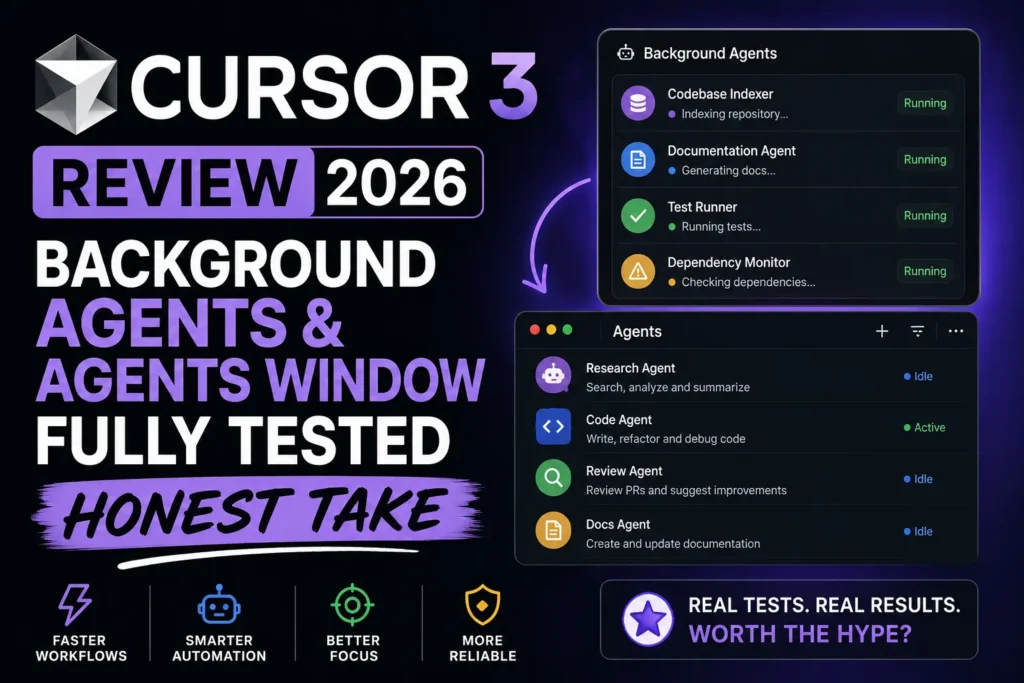
I spent weeks putting both features through their paces across real projects: a mid-sized React application, a Python Django REST API, and a Node.js microservices setup. This review is what I actually found — the good, the frustrating, and the parts that quietly changed how I write code every day.
Let’s get into it.
Table of Contents
What Is Cursor 3? A Quick Context Drop
For anyone coming to Cursor fresh, it’s a code editor built on top of VS Code that layers AI deeply into the editing workflow—not as a plugin, but as a native part of the experience. You can learn more about its foundations at cursor.com.
Cursor 3 is the most ambitious version released to date. While earlier versions focused on inline AI completions and a basic chat panel, Cursor 3 pivots toward true agentic AI—meaning the AI doesn’t just respond to you; it acts on your behalf, autonomously, even while you’re doing something else entirely.
The two headline features driving that pivot are the following:
- Cursor 3 Background Agents — AI agents that run tasks in the background without blocking your editor
- The Agents Window — a dedicated panel for managing, monitoring, and coordinating those agents
These aren’t cosmetic changes. They change the actual loop of how you interact with your codebase.
What Are Cursor 3 Background Agents, Really?
The term “background agent” sounds simple, but what it actually means in practice took me a few days to fully internalize.
In older versions of Cursor and similar tools like GitHub Copilot, AI assistance is fundamentally reactive. You ask; it responds. You accept or reject. You move on. The interaction is synchronous—the AI waits for you, and you wait for the AI.
Cursor 3 background agents break that loop entirely. You can assign a task—”refactor the authentication module to use JWT refresh tokens”—and the agent begins working on it asynchronously. You don’t sit there watching it type. You go work on something else. The agent runs, makes file edits, runs tests if configured, and surfaces the result in the agent’s window when it’s done.
Think of it less like a chatbot and more like a junior developer you’ve just assigned a ticket to. They go off and work; you check their PR later.
The underlying architecture powering Cursor 3 Background Agents uses a combination of the model infrastructure Cursor has built on top of providers like Anthropic and OpenAI, with its own orchestration layer that manages context windows, file system access, and terminal execution. This is what allows agents to not just write code but to actually run it, catch errors, iterate, and report back.
Also Read: How to start your own automation agency in 2026!

Setting Up Background Agents: First Impressions
Enabling Cursor 3 Background Agents is straightforward if you’re on the Pro or Business plan. You head to Settings → Beta Features → Agent Mode and toggle Background Execution on.
First run, I gave the agent a task I genuinely didn’t want to do myself: audit all API endpoint handlers in my Django project for missing authentication decorators and add them where absent.
What happened next was genuinely surprising. The agent:
- Indexed my project structure
- Identified all view functions decorated with
@api_view - Cross-referenced them against a list I described in plain English
- Opened the relevant files
- Added the decorators
- Ran the test suite via the integrated terminal
- Flagged two spots where adding the decorator broke existing tests
That last step is what elevated this above “fancy autocomplete.” The Cursor 3 Background Agents system didn’t just write code — it understood that writing code has consequences, ran the verification step, and brought the failure back to me instead of silently shipping broken work.
Time taken: about four minutes. Time it would have taken me manually: probably an hour, minimum.
The Agents Window: Your Mission Control
The Agents Window is where Cursor 3 background agents become manageable at scale. If you’re running multiple agents simultaneously (which the system supports), you need a way to see what’s happening, intervene when needed, and review completed work without digging through file diffs manually.
The Agents Window opens as a dedicated panel (default: right side of the editor, customizable). Each active or completed agent appears as a card showing:
- Task description — what you assigned
- Status — Running, Awaiting Input, Completed, Failed
- Steps taken — a collapsible log of every action the agent performed
- Files touched — a list of modified files with inline diff access
- Test results — pass/fail summary if tests were run
This is where Cursor 3 pulls ahead of anything I’ve seen in competing tools. Windsurf by Codeium has agent-style flows, and so does GitHub Copilot’s Workspace feature, but neither surfaces operational context as cleanly as the Agents Window does.
The “Awaiting Input” state is particularly well-designed. When an agent hits a decision point it can’t resolve — a merge conflict, an ambiguous instruction, a missing environment variable — it pauses, pings you in the Agents Window, and waits. It doesn’t guess. It doesn’t break things trying to push forward. It stops and asks.
That behavior alone addresses one of the biggest fears developers have about autonomous AI agents: that they’ll barrel ahead confidently and make a mess you have to clean up.
Running Multiple Cursor 3 Background Agents Simultaneously
This is where things get genuinely powerful — and where you have to think carefully about what you’re doing.
In theory, you can spin up several Cursor 3 Background Agents at the same time. In practice, the right approach depends heavily on task isolation.
Tasks that work great in parallel:
- Documentation generation for different modules
- Writing tests for separate services
- Linting and formatting passes on different parts of the codebase
- Dependency audit and upgrade tasks on isolated packages
Tasks that need sequencing:
- Anything that touches shared configuration files
- Database migration generation followed by migration execution
- Refactors that cross module boundaries
I made the mistake early on of running two agents simultaneously on related parts of the same feature — one refactoring the data layer, one updating the API layer to match. They conflicted on a shared types file. The Agents Window caught it and flagged both agents as “Awaiting Input” with a clear conflict notice. Annoying, but recoverable. The lesson: treat Cursor 3 Background Agents like you’d treat concurrent branches — plan for merge conflicts before they happen.
Context Awareness: How Deep Does It Go?
One question I kept probing was, “How much does the agent actually understand about my project versus pattern-matching generic code?”
The answer, after thorough testing, is deeper than I expected, not as deep as I’d want.
Cursor 3 Background Agents do a solid job of understanding:
- Project structure and module relationships
- Coding conventions established in existing files
- Framework idioms (it understood my Django project’s custom middleware pattern without me explaining it)
- Existing test patterns and replicating them
Where context fell short:
- Business logic that lives in documentation or verbal knowledge rather than code
- Long-running projects where conventions evolved and contradictions exist in the codebase
- Tasks requiring understanding of external system behaviors (third-party API quirks, for instance)
The practical takeaway is that Cursor 3 Background Agents are excellent operators within defined technical scope, but they’re not yet replacements for understanding the why behind architectural decisions. You still need to be the one holding that knowledge.
Performance and Speed: Real Numbers
Here are actual timings from my test projects. These aren’t cherry-picked best cases — they’re averages across multiple runs of similar tasks.
| Task | Manual Time | Cursor 3 Background Agent Time | Quality |
|---|---|---|---|
| Writing unit tests for 12 functions | ~2.5 hours | 8 minutes | 9/10 — needed minor tweaks |
| Adding JSDoc comments to 40+ functions | ~3 hours | 11 minutes | 8/10 — some descriptions generic |
| Refactoring API error handling across 6 routes | ~1.5 hours | 6 minutes | 9/10 — clean, idiomatic |
| Migrating from CommonJS to ESM modules | ~4 hours | 19 minutes | 7/10 — flagged 3 edge cases for review |
| Database schema audit + type generation | ~2 hours | 9 minutes | 9/10 — excellent accuracy |
| Writing a full README from codebase context | ~1 hour | 4 minutes | 7/10 — needed personalization |
The speed gains are real and significant. The quality is consistently good with occasional gaps that require human review — which is exactly the workflow Cursor 3 seems designed for. The agent does the heavy lifting; you do the judgment calls.
Cursor 3 vs. The Competition: Head-to-Head Comparison
Here’s how Cursor 3 Background Agents stack up against the leading alternatives in 2026.
| Feature | Cursor 3 | GitHub Copilot (Workspace) | Windsurf (Codeium) | VS Code + Claude |
|---|---|---|---|---|
| Background Agent Execution | ✅ Native, async | ⚠️ Limited beta | ⚠️ Partial | ❌ Manual only |
| Agents Window UI | ✅ Full panel | ❌ No dedicated UI | ⚠️ Basic task view | ❌ None |
| Multi-Agent Parallel Tasks | ✅ Supported | ❌ Not available | ❌ Not available | ❌ Not available |
| Integrated Test Running | ✅ Yes | ⚠️ Limited | ✅ Yes | ❌ No |
| Conflict Detection Between Agents | ✅ Yes | ❌ N/A | ❌ N/A | ❌ N/A |
| Model Choice | ✅ Claude, GPT-4, Gemini | ⚠️ GPT-4 only | ✅ Multiple | ✅ Depends on extension |
| Context Window (Agent Tasks) | ✅ Large (200K+) | ⚠️ Moderate | ✅ Large | ⚠️ Varies |
| VS Code Compatible | ✅ (fork) | ✅ Native extension | ✅ Separate editor | ✅ Native |
| Price (Pro) | $20/month | $10–19/month | $15/month | API cost variable |
| Offline Mode | ❌ No | ❌ No | ❌ No | ❌ No |
| Agent Audit Log | ✅ Yes | ❌ No | ⚠️ Basic | ❌ No |
Cursor 3 is the clear leader specifically in the Background Agents category. No competitor ships anything close to the full async multi-agent experience with a dedicated management interface as of mid-2026.
For teams deeply embedded in the GitHub ecosystem, GitHub Copilot remains compelling for its integration with Pull Requests and GitHub Actions. But if autonomous, background task execution is your priority, Cursor 3 wins without much argument.
Use Cases Where Cursor 3 Background Agents Shine
Let me be direct about where this feature genuinely earns its keep, based on what I actually tested.
1. Legacy Codebase Modernization
Old codebases with inconsistent patterns are a nightmare to modernize manually. Cursor 3 Background Agents can systematically apply consistent transformations across thousands of lines while you focus on higher-order architecture decisions.
2. Test Coverage Improvement Sprints
If you’re staring down a coverage report with gaps all over it, running Cursor 3 Background Agents on specific modules to generate test scaffolding is a massive productivity multiplier. The tests need review, but the scaffolding is solid.
3. Documentation Debt
Few developers enjoy writing docs. Background agents handle JSDoc, README updates, inline comments, and even basic wiki-style documentation generation with surprising fluency—especially when the codebase already has examples to learn from.
4. Cross-Cutting Refactors
Changes that need to propagate across many files — updating an import path after a folder restructure, swapping one utility library for another, updating API response shapes — are exactly the kind of tedious-but-important work that Cursor 3 Background Agents handle well.
5. Code Review Prep
Before opening a PR, I’ve started using a background agent to do a pre-review pass: catch inconsistencies, flag missing error handling, note security-adjacent patterns worth double-checking. It’s not a replacement for real review, but it catches the obvious stuff before human reviewers have to.
Where Cursor 3 Background Agents Still Fall Short
No review worth reading pretends a product is perfect. Here’s what needs work.
Token consumption is high. Background agents burn through your request allocation faster than interactive chat, which makes sense — they’re doing more work. But if you’re on the free tier or a tight plan, you’ll hit limits quickly. Pricing transparency on per-agent token usage could be better. Check current plan details at cursor.com/pricing.
Long tasks can drift. For tasks running beyond roughly 15 minutes, I noticed a gradual drift in coherence — the agent would occasionally start making decisions that didn’t align with the task’s original intent. Keeping tasks focused and bounded works better than open-ended “just improve everything in this module” prompts.
No shared agent memory across sessions. Each time you spin up a new Cursor 3 Background Agents task, it starts fresh. If you built up context in a previous session — explaining your team’s architectural preferences, for instance — that knowledge doesn’t carry forward. A persistent agent context layer would be transformative here.
Occasional hallucinated imports. On a handful of occasions, agents added import statements for modules that don’t exist in the project. The integrated linter usually catches this, but it’s worth mentioning as a real failure mode.
Check Out: Jeff Bezos’s Project Prometheus!
Tips for Getting the Most Out of Cursor 3 Background Agents
After extensive testing, here’s what actually moves the needle:
Be specific in your task descriptions. “Fix the auth module” will get you mediocre results. “”Audit all view functions accounts/views.py for missing @login_required decorators and add them, then run the test suite” will get you excellent results. Specificity is leverage.
Scope your agents tightly. The narrower the task surface, the better the output. One agent, one module, and one concern work better than one agent, many files, and many concerns.
Always review diffs before merging. The Agents Window makes this easy — every file touched has an inline diff. Build the review habit even for tasks that feel routine. Agents are good, not infallible.
Use the “Awaiting Input” flow actively. When an agent pauses to ask a question, the quality of your answer matters. Treat it like you’d treat a question from a developer on your team—give context, not just a yes/no.
Combine agents with Cursor Rules. The Cursor Rules feature lets you define project-level constraints for AI behavior. Pairing well-defined rules with Cursor 3 Background Agents significantly improves consistency across agent outputs.
Cursor 3 Background Agents for Teams
The Business tier adds some team-level capabilities worth noting. Admins can define default agent permissions — for example, restricting background agents from running terminal commands without confirmation, or limiting file write access to specific directories.
This is smart for organizations where the primary concern is the AI making changes outside its intended scope. The permission model isn’t yet granular enough for enterprise compliance needs, but it’s a meaningful step toward making Cursor 3 Background Agents enterprise-ready.
Team-level audit logs surface in the admin dashboard, which is genuinely useful for understanding how and where AI agents are being used across an engineering org. You can see aggregate statistics on which task types are most common, which agents required the most human interventions, and which team members are getting the most productivity lift from the feature.
For more on team collaboration features in AI-assisted development workflows, the Anthropic documentation on multi-agent systems provides useful conceptual grounding that maps well onto how Cursor’s implementation works.
The Bigger Picture: What Cursor 3 Background Agents Mean for Developers
There’s a real philosophical question underneath all of this: if an AI agent can execute a task autonomously while you work on something else, what exactly is the developer’s job shifting toward?
I think the honest answer is: judgment, architecture, and context-holding. The parts of software development that require understanding the why — why this system needs to work the way it does, what the constraints are, what the right tradeoffs look like — those remain irreducibly human. What Cursor 3 Background Agents offload is the mechanical execution: the typing, the pattern application, the tedious transformations.
That’s a meaningful shift. It doesn’t eliminate developer work; it elevates what developers spend their time on. The developers who will benefit most from Cursor 3 Background Agents are those who invest in getting better at the judgment layer — because that’s what the agents can’t do.
Some useful perspective on this shift in AI-assisted work can be found on the MIT Technology Review and ACM Queue, both of which regularly cover the evolving role of software developers in an AI-augmented environment.
Pricing Breakdown (2026)
| Plan | Monthly Cost | Background Agents | Agent Tasks/Month | Notes |
|---|---|---|---|---|
| Free | $0 | Limited | ~20 | Good for evaluation |
| Pro | $20 | Full access | Generous (soft-capped) | Best for individual devs |
| Business | $40/user | Full + admin controls | Custom | Team audit logs included |
| Enterprise | Custom | Full + SSO/compliance | Unlimited | On-request |
Prices are subject to change—always verify at cursor.com/pricing for the most current information.
Final Verdict
Cursor 3 Background Agents are the most meaningful productivity feature to land in a code editor in recent memory. Not because they’re perfect — they’re not — but because they change the fundamental rhythm of development work in a way that’s immediately noticeable and measurable.
The Agents Window is genuinely excellent UX for a problem that most competitors haven’t solved: how do you give developers visibility into what autonomous AI is doing without making them babysit it? The answer Cursor 3 found — async execution with structured status cards, inline diffs, and smart “Awaiting Input” pauses — is the right one.
If you write code professionally and you haven’t tried Cursor 3 Background Agents yet, the free tier is enough to get a real feel for it. Give it a real task, not a toy task. You’ll understand why this is a watershed moment in AI-assisted development.
Score: 9/10
Loses a point for token consumption opacity and the lack of persistent agent memory across sessions. Gains every other point for delivering genuinely transformative, production-ready capability.
Frequently Asked Questions About Cursor 3 Background Agents
1. What exactly are Cursor 3 Background Agents?
Cursor 3 Background Agents are autonomous AI agents within the Cursor code editor that can execute multi-step coding tasks — writing code, running tests, modifying files — asynchronously in the background while you continue working on other things. Unlike standard AI chat, they don’t require your continuous attention.
2. Do I need the Pro plan to use Cursor 3 Background Agents?
Full access to Cursor 3 Background Agents requires the Pro plan or higher ($20/month). The free tier includes limited background agent access, which is enough to evaluate the feature but not enough for daily professional use.
3. Can Cursor 3 Background Agents run terminal commands?
Yes. Background agents can execute terminal commands as part of their task flow — including running test suites, package installers, and build scripts. On Business plans, admins can restrict this capability or require confirmation before terminal execution.
4. How is the Agents Window different from the regular Cursor chat panel?
The regular chat panel is synchronous and conversational. The Agents Window is an async task manager for Cursor 3 Background Agents — it shows running, paused, and completed agent tasks with full logs, file diffs, and test results in a dedicated interface. They serve different purposes.
5. Can multiple Cursor 3 Background Agents run at the same time?
Yes, multiple Cursor 3 Background Agents can run in parallel. The Agents Window manages all of them and will flag conflicts if agents attempt to modify the same files simultaneously. For best results, assign agents to isolated, non-overlapping parts of the codebase.
6. Are Cursor 3 Background Agents safe to run on production codebases?
Cursor 3 Background Agents modify files but don’t automatically push or deploy code. All changes are made locally and surfaced for your review before you take any further action. That said, standard version control hygiene — working on a branch, reviewing diffs before merging — is strongly recommended.
7. Which AI models power Cursor 3 Background Agents?
Cursor 3 supports multiple underlying models for agent tasks, including Claude (from Anthropic), GPT-4 variants (from OpenAI), and Gemini models. The model selection can be configured per-task or set as a default in Settings.
8. How does Cursor 3 handle it when a background agent gets stuck?
When a Cursor 3 Background Agent hits a decision it can’t resolve — an ambiguous instruction, a merge conflict, a missing environment variable — it enters “Awaiting Input” state in the Agents Window. It pauses, notifies you, and waits for clarification rather than guessing and potentially making things worse.
9. Does Cursor 3 Background Agents work with all programming languages?
Cursor 3 Background Agents work with any language the underlying AI models support, which covers all mainstream languages including JavaScript, TypeScript, Python, Go, Rust, Java, C++, Ruby, and more. Performance quality varies — languages with abundant training data (JavaScript, Python) generally yield better agent outputs.
10. How much does using Cursor 3 Background Agents cost in terms of tokens?
Background agents consume significantly more tokens than standard chat interactions because they’re performing multi-step tasks with large context windows. Pro plan users receive a generous monthly allocation, but heavy background agent usage can approach those limits. Cursor’s dashboard shows usage metrics so you can monitor consumption.
11. Can I cancel a running Cursor 3 Background Agent task?
Yes. Any running background agent can be cancelled from the Agents Window. The agent will stop at its next safe stopping point, and any changes made up to that point can be reviewed and either accepted or reverted.
12. Does Cursor 3 remember context from previous background agent sessions?
Not currently. Each Cursor 3 Background Agent task starts fresh without memory of previous sessions. However, project-level rules defined in Cursor Rules persist and influence agent behavior across tasks, which partially compensates for the lack of session memory.
13. Is Cursor 3 better than GitHub Copilot for background agent tasks?
For autonomous background execution specifically, Cursor 3 Background Agents are significantly more capable than GitHub Copilot as of mid-2026. Copilot’s Workspace feature offers some agentic capability, but it lacks true async execution, a dedicated management UI, and multi-agent parallelism. For tightly integrated GitHub workflows, Copilot still has advantages elsewhere.
14. Can Cursor 3 Background Agents write and run tests automatically?
Yes — this is one of the strongest use cases for Cursor 3 Background Agents. Agents can generate test files, run the test suite via the integrated terminal, and report pass/fail results back to the Agents Window. When newly generated code causes test failures, the agent flags this for review rather than silently ignoring it.
15. Where can I learn more about Cursor 3 and its agent capabilities?
The official documentation at docs.cursor.com is the most authoritative and up-to-date resource. For broader context on multi-agent AI systems and their implications for software development, Anthropic’s research blog and OpenAI’s technical documentation provide useful background reading.
1 thought on “Cursor 3 background agents Review 2026: Agents Window Fully Tested (Honest Take)”